

My little window on internet allowing me to share several of my passions

In the world of open-source operating systems, OpenBSD and FreeBSD are renowned for their stability, security, and excellent audio support. This guide describes a clean, automated setup for streaming high-quality music from a FreeBSD-based NAS to an OpenBSD machine connected to a hi-fi DAC over optical fiber (S/PDIF). The solution uses Music Player Daemon (MPD) on the FreeBSD NAS as the music server and sndio for low-latency, high-fidelity remote audio output to the OpenBSD client.
The setup ensures that turning on the amplifier and DAC automatically prepares the OpenBSD audio system and starts playback on the NAS — all without manual intervention.
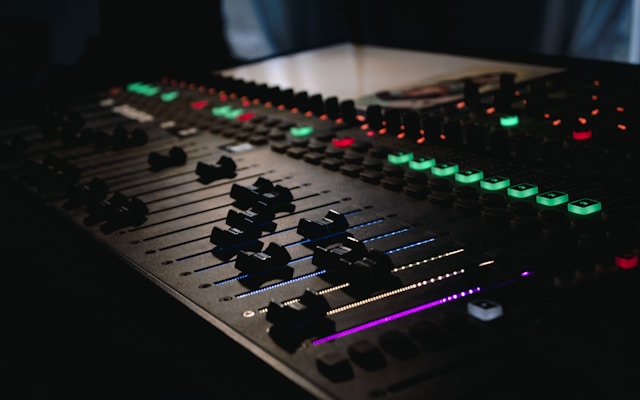
The OpenBSD machine handles audio output exclusively, while the FreeBSD NAS serves the music files and runs the MPD server.
OpenBSD’s default audio daemon is sndiod. For digital output to a DAC, the audio device must be configured to pass through the digital stream without resampling or mixing.
A startup script in /etc/rc.local on the "hifi" machine automates this process:
sleep 2
rcctl stop sndiod
mixerctl outputs.mode=digital
mixerctl outputs.master=200
rcctl start sndiod
sleep 2
/usr/bin/ssh root@nas /root/start_mpd.sh
This script:
1. Waits for hardware to settle.
2. Stops sndiod.
3. Sets digital passthrough mode and a safe master volume.
4. Restarts sndiod.
5. SSHes to the NAS to launch MPD and resume playback.
MPD runs on the NAS, serving the music library and streaming audio via sndio to the OpenBSD machine.
Relevant portions (comments and blank lines removed):
music_directory "/nas/share/music"
playlist_directory "/var/mpd/playlists"
db_file "/var/mpd/database"
log_file "/var/log/mpd"
pid_file "/var/mpd/pid"
state_file "/var/mpd/state"
sticker_file "/var/mpd/sticker.sql"
user "mpd"
input {
    plugin "curl"
}
audio_output {
    type "sndio"
    name "sndio output"
    device "snd@hifi/0"
    mixer_type "software"
}
filesystem_charset "UTF-8"
The audio_output block directs sound to the remote sndio server on "hifi".
The NAS script /root/start_mpd.sh:
#!/bin/sh
mpd /usr/local/etc/mpd.conf
sleep 2
mpc -q -h nas play
This starts MPD and immediately resumes playback.
The standard FreeBSD musicpd package does not enable sndio output, so MPD must be built from source with sndio explicitly enabled.
Install build tools and sndio:
pkg install pkgconf meson ninja sndio
Install the musicpd package — this command pulls in all dependencies needed for MPD (libraries, codecs, etc.), ensuring a smooth compilation and runtime experience even when replacing the binary with the custom build.
pkg install musicpd
The automation script for downloading, configuring, building, and installing the latest MPD with sndio support:
URL=$(fetch -q -o - https://www.musicpd.org/download.html | grep 'tar.xz"' | sed -n 's/.*href="\([^"]*\)".*//p')
[ -f mpd.tar.xz ] && rm mpd.tar.xz
echo "Dowloading https://www.musicpd.org$URL"
fetch -o mpd.tar.xz "https://www.musicpd.org$URL"
FOLDER=$(echo $URL | sed -E 's!.*/(mpd-[0-9]+\.[0-9]+\.[0-9]+)\.tar\.xz!!')
tar -xf mpd.tar.xz || exit 1
echo "cd to $FOLDER"
cd $FOLDER || exit 1
export PKG_CONFIG_PATH=/usr/local/libdata/pkgconfig
export LIBRARY_PATH=/usr/local/lib
[ -d output/release ] && rm -fr output/release
meson setup output/release -Dsndio=enabled
ninja -C output/release
ninja -C output/release install
The key flag -Dsndio=enabled activates the sndio output plugin.
/etc/rc.local configures sndiod for bit-perfect digital output.The result is automated, bit-perfect, low-latency hi-fi playback using only open-source BSD tools.
While the setup automatically starts and resumes playback on power-up, full control of the music library and playback is best done remotely. The Android app M.A.L.P. (MPD Android Lightweight Player / MPD Client) is an excellent, open-source choice for this. Available on F-Droid (recommended for privacy) and the Google Play Store, it offers a clean Material Design interface to browse the music collection, search tracks, manage and edit playlists, control playback (play/pause, skip, seek), adjust volume, and view current song information.
To connect M.A.L.P. to the MPD server:
- In the app, create a new profile with the NAS hostname/IP and port 6600 (default).
M.A.L.P. turns the automated headless system into a fully controllable hi-fi streamer from your phone or tablet.
This setup elegantly combines the rock-solid foundations of OpenBSD and FreeBSD with the lightweight power of MPD and sndio to create a truly audiophile-grade streaming solution. From automatic startup on power-on to bit-perfect digital passthrough and seamless remote control, every component works in harmony to deliver pristine sound without unnecessary complexity or proprietary dependencies.
It showcases what makes the BSD ecosystem special: simplicity, security, and uncompromising quality. Whether you’re rediscovering your music collection in stunning detail or simply enjoying the satisfaction of a system you built and fully control, this configuration proves that open-source tools can rival—or surpass—commercial hi-fi streamers. Turn on your amplifier, sit back, and let the music play.
 0,
0,
 0
0